Journal every trade.
Find your edge.

Trading OS puts your trade journal, backtesting and AI setup matching in one place. Log trades in seconds, see what actually works, and stop repeating the same mistakes. Free to start. No email required.

See how it works
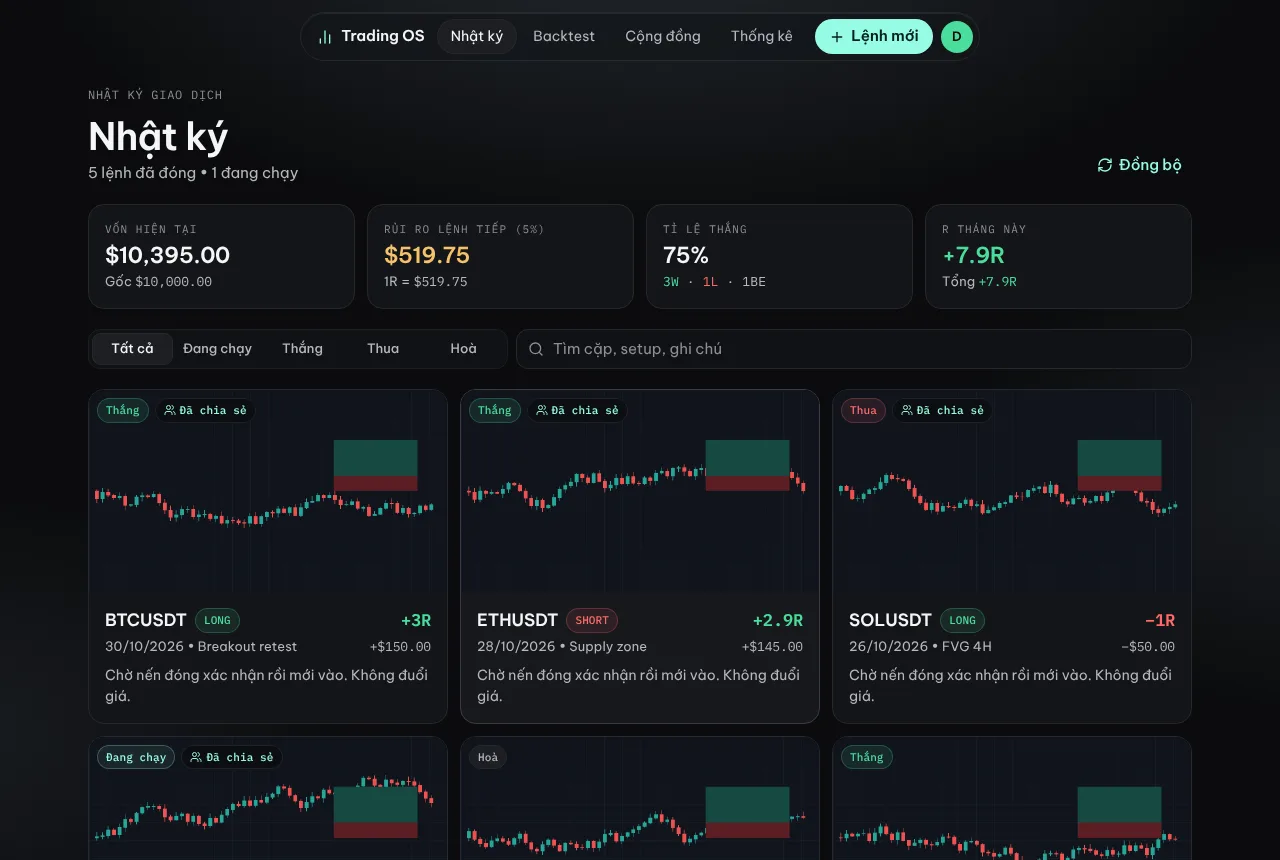
Current balance
R this month
Open
The Journal screen in Trading OS
Features

Built to make you a more consistent trader

No notebooks, no spreadsheets. Log a trade in seconds on desktop or phone.

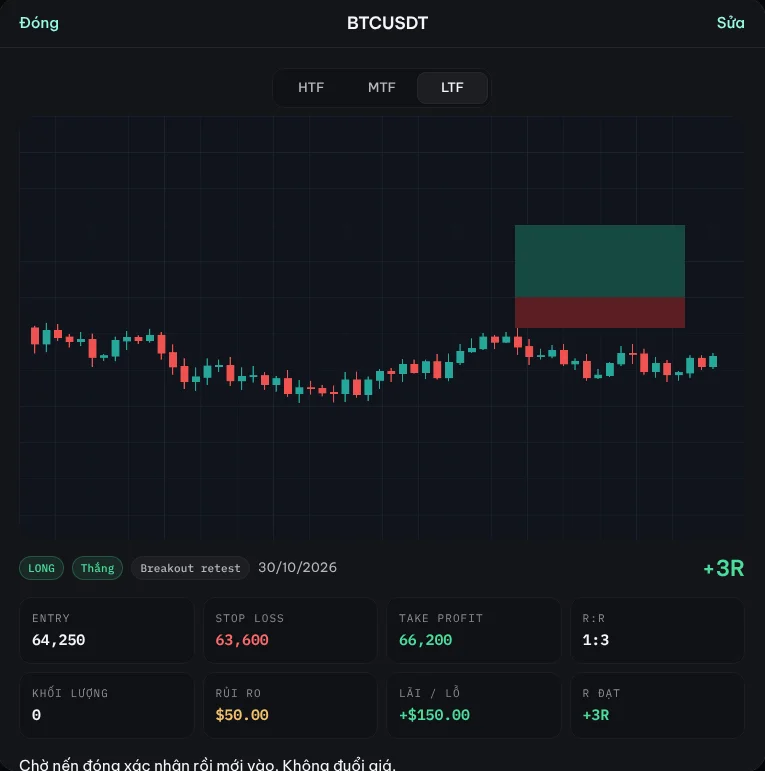
A trade journal with 3-timeframe charts

Paste your higher, entry and lower timeframe charts as you log the trade. Enter your entry, stop and target, and R:R and the result are calculated for you.

A journal entry with three chart screenshots

Strategy backtesting

Run a setup through 100 trades before you risk real money. Tap Win, Loss or Breakeven and watch your real win rate take shape.

Stats in R

Win rate, expectancy, drawdown, monthly R and a P&L calendar. See which setups make you money and which don’t.

AI finds similar setups

About to enter? Paste the chart and AI pulls up the most similar trades from your journal and backtests, and how they played out.

5 similar setups · 86% match
3 wins · 1 loss · 1 breakeven
+4.1R
Resources

Hand-picked tools and indicators

Open to everyone. Items with a lock are for members.

Coming soon.

Feed

From the community

Strategy write-ups and real trades shared by Trading OS users.

Trading journal

Journal

closed • open

Current balance
Starting
Risk on next trade (%)
1R =
Win rate
· ·
R this month
Total

Log your first trade

Paste a chart and let AI read the entry, stop and target. Position size is calculated from your % risk.

Loading…

No trades match this filter.

trade(s) not saved to the server yet. They’re still on this device.

Equity curve

Needs at least 2 closed trades.

P&L calendar

This month: trades · trading days

Theo setup

No data yet.

Long vs Short

Library

Resources

Tools, indicators and reading, hand-picked for traders.

Loading…

No resources yet

Nothing here yet

Loading…

Membership

Up and running in minutes

No email required. Nothing to install.

1

Create an account

Just a username and password.

2

Log your first trade

Paste your 3-timeframe charts and enter your entry, stop and target. When the trade closes, mark it Win, Loss or Breakeven.

3

Review and improve

Stats in R, a P&L calendar, and which setups are working. Share a trade whenever you want a second opinion.

FAQ

Is it free?

Yes. The journal, backtesting, stats and sharing are free. Membership unlocks members-only posts and resources.

Can other people see my account size?

No. Your journal is private to you. When you share a trade, the post only shows the pair, direction, prices, R, chart images and your notes. Never your balance or dollar amounts.

What’s the difference between Public, Signed-in and Members posts?

Anyone can read Public posts. Signed-in posts need a (free) account. Members posts are for members only. See the Membership page for pricing and how to join.

I forgot my password. What now?

Message us on Telegram at @dnc1m and we’ll reset it for you.

Start journaling your trades today

Trading OS membership

Lifetime membership

What members get

Members-only posts

Strategy breakdowns, market analysis and trade plans, published for members only.

Locked resources

Hand-picked tools, indicators and reading in the Resources section.

Journal and Backtest

Log trades with 3-timeframe charts, backtest strategies, track stats in R.

Community

Share trades, get feedback, and see how other traders trade.

How to join

1

Create an account

Just a username and password.

2

Message us

Send your username on Telegram to @dnc1m and we’ll activate your membership.

Everything here is personal experience, not financial advice.